v4.19
Release Date: July 23, 2026
With this week's release, we're introducing Events in beta, launching a redesigned Builder user interface, and a guided tour of the platform for first-time users.
Highlights
- Redesigned Builder: A simpler, guided three-step workflow (Start, Pair, Configure) with unified search and richer data snapshots.
- Events (Beta): Purchase real-world events such as earnings, product launches, regulatory actions, macro developments and pair them with the entities and insights that matter. With the release of Events, the Python SDK has been updated to version 1.1.16. Install the latest version for Events API access.
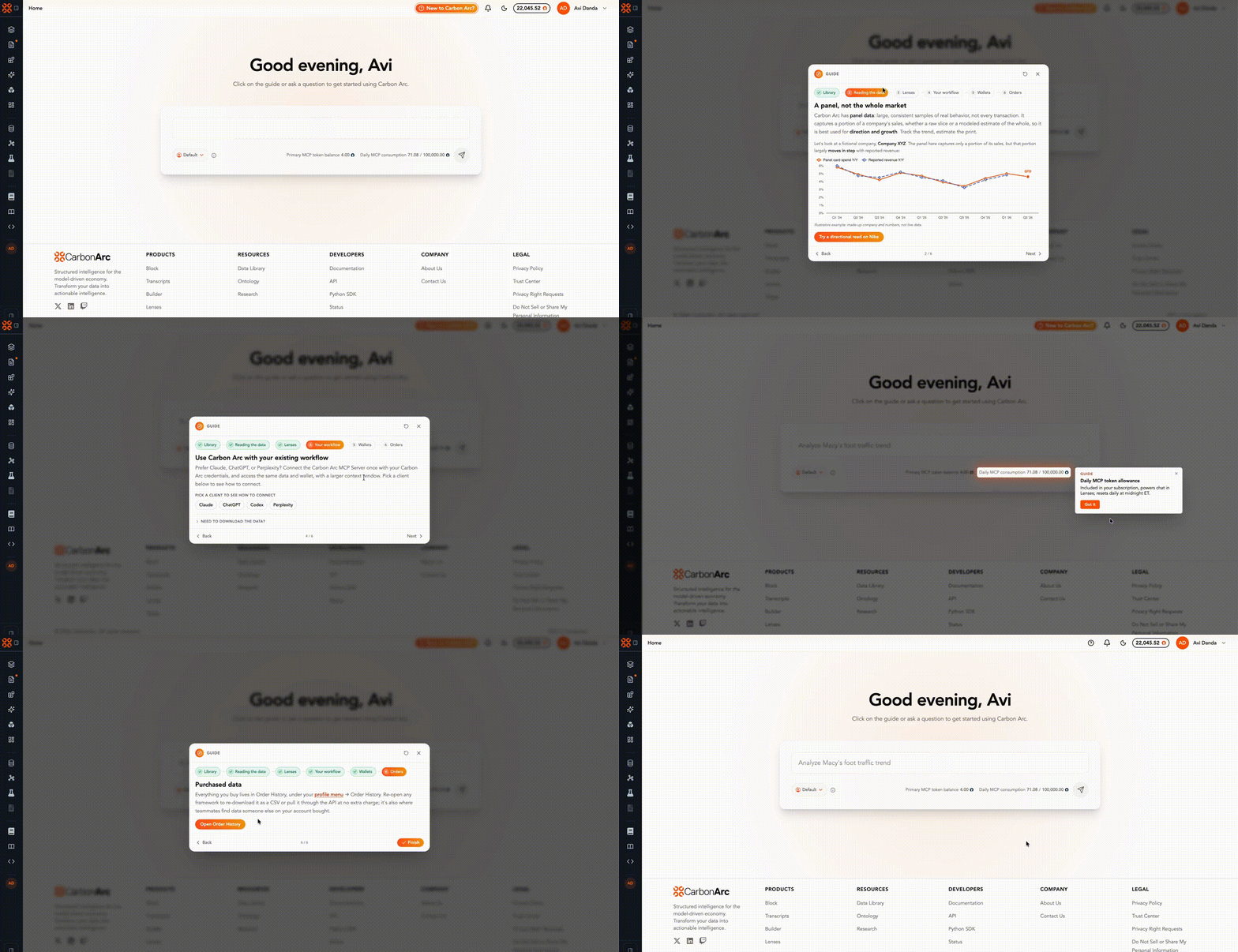
- New Onboarding Guide: A tutorial loads for first-time users that walks them through the platform and how to interpret purchased data assets.
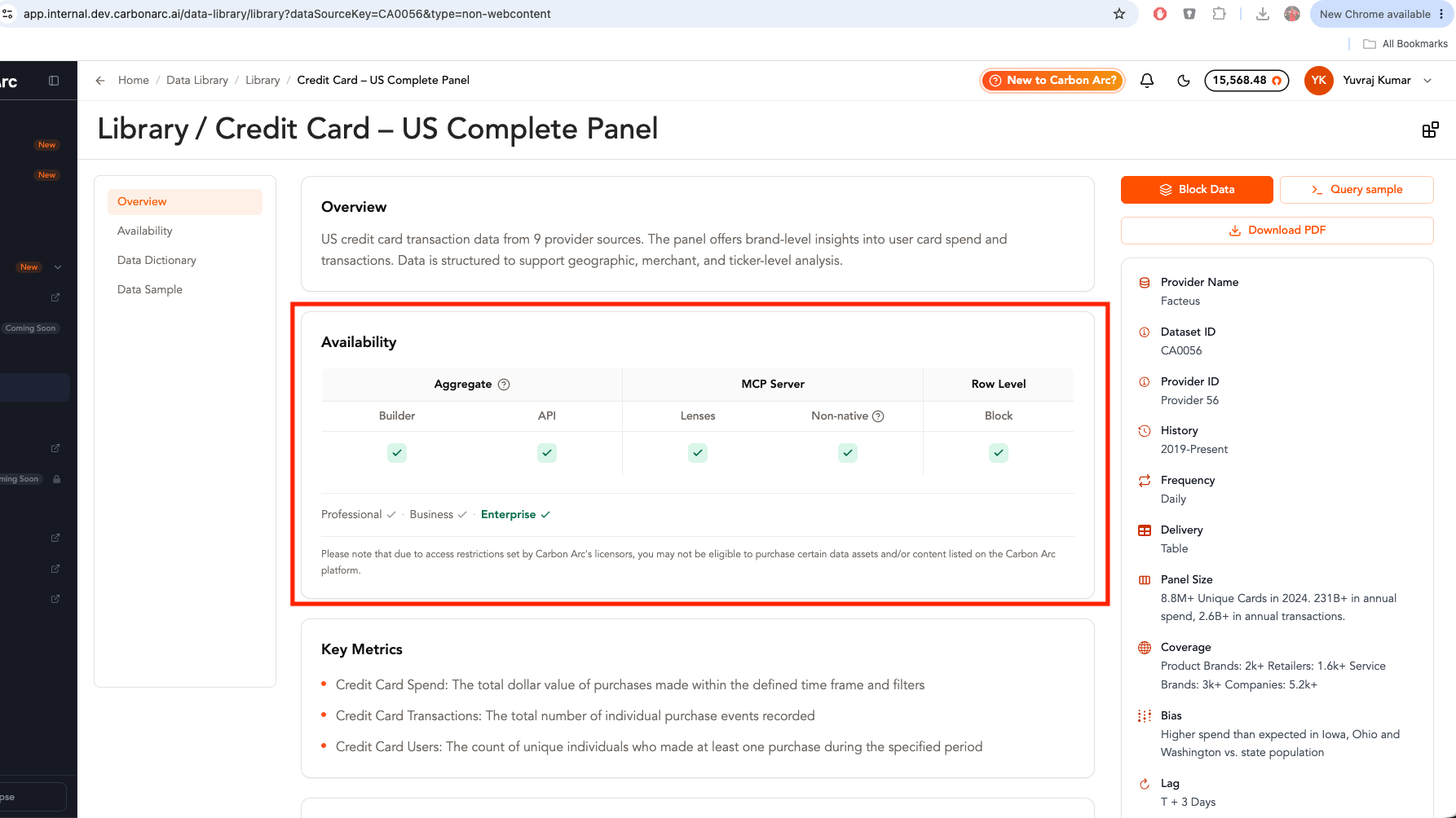
- Availability in Tear sheets: On each tear sheet, we now surface data availability across different plans and which product surfaces the data is available in: Builder, API, MCP, and/or Block.
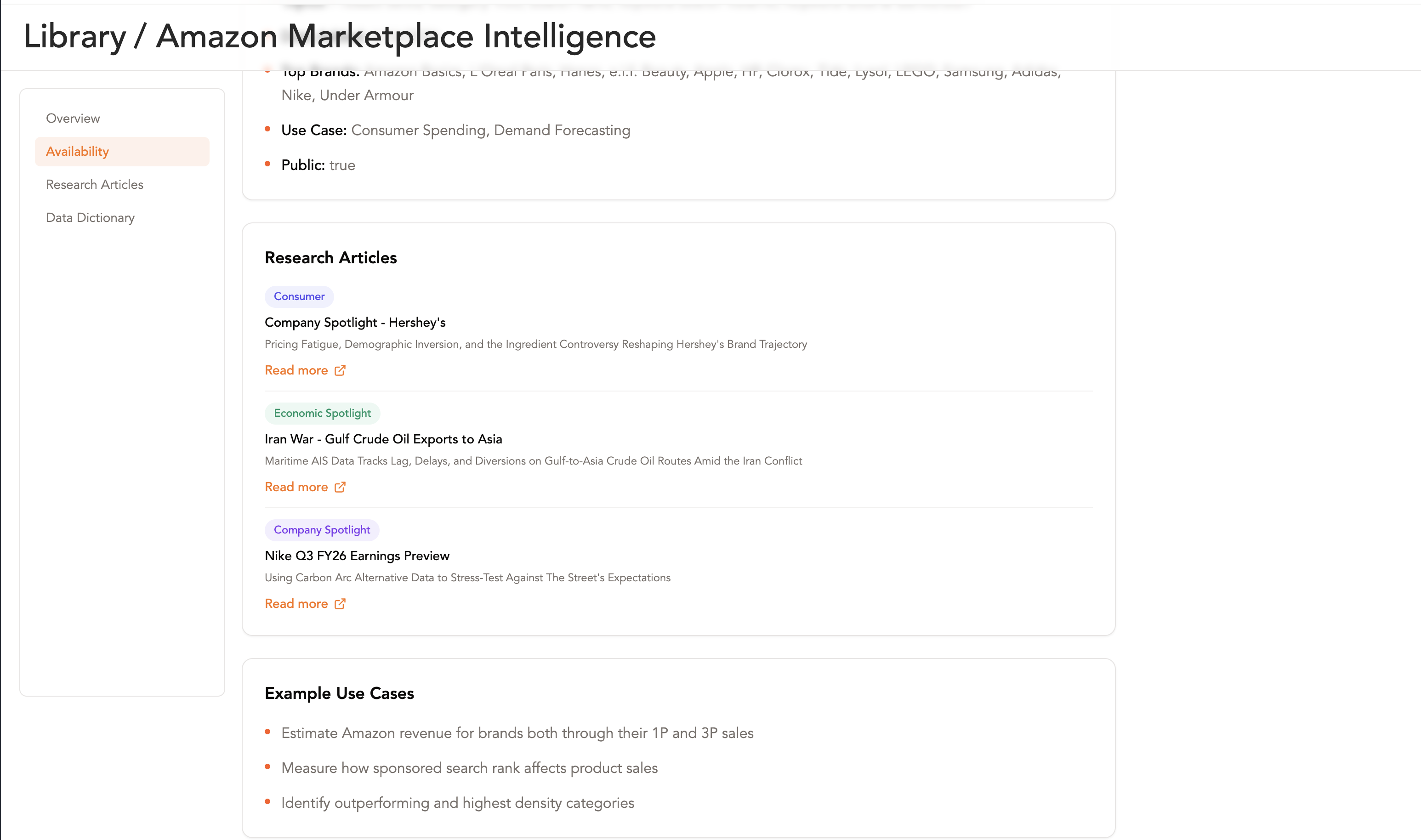
- Research Articles in Tear sheets: Created "Research Articles" section in tear sheets that link to content where data is used.
- Soft-launching Prisms: A publicly available product featuring curated reference indices and category shares computed daily using Carbon Arc data assets.
Key Releases
Redesigned Builder Experience
We are launching a new Builder experience that has been redesigned around a simpler workflow when purchasing a framework:
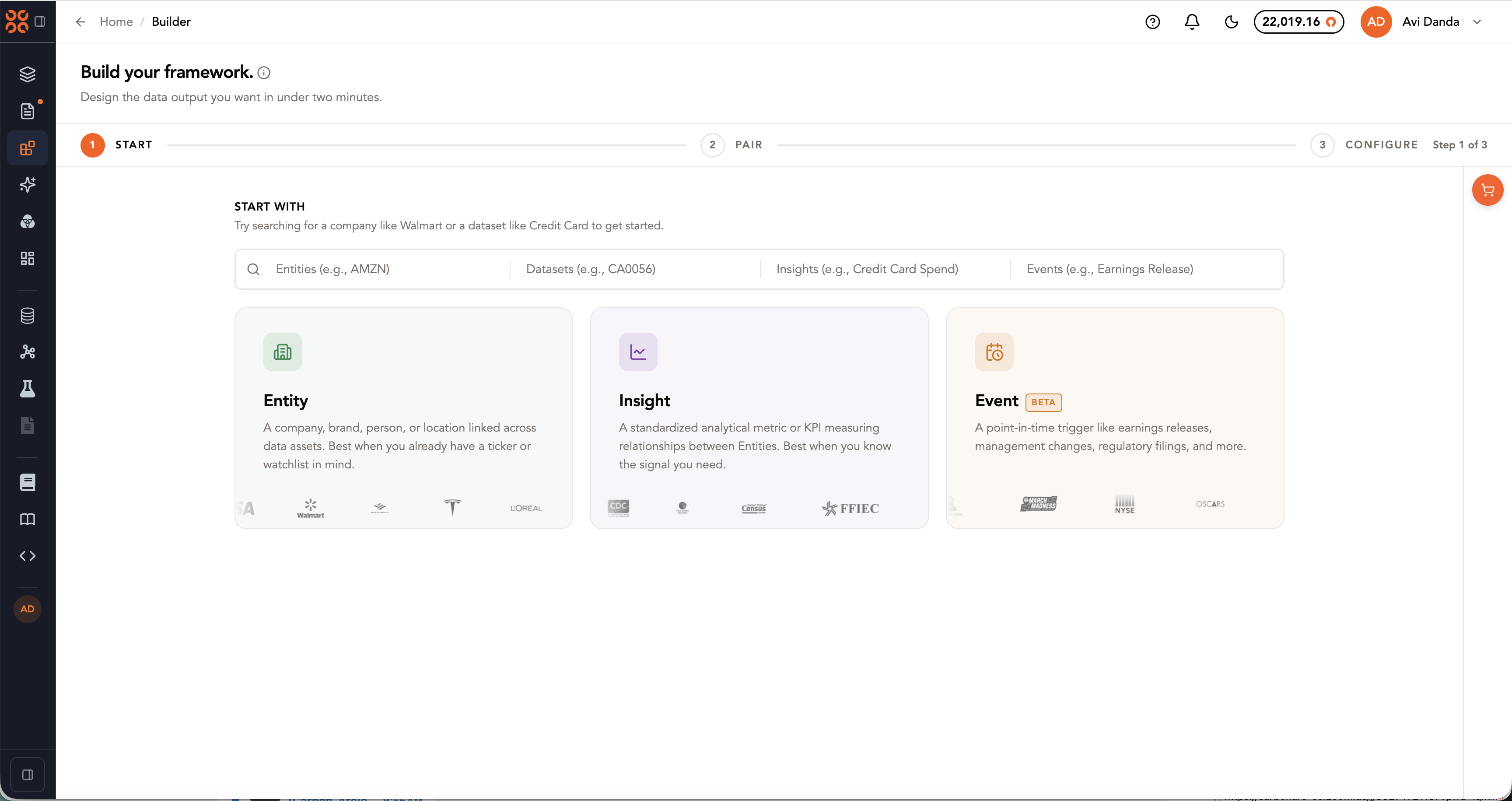
- Step 1: Start with Entities, Insights, or Events
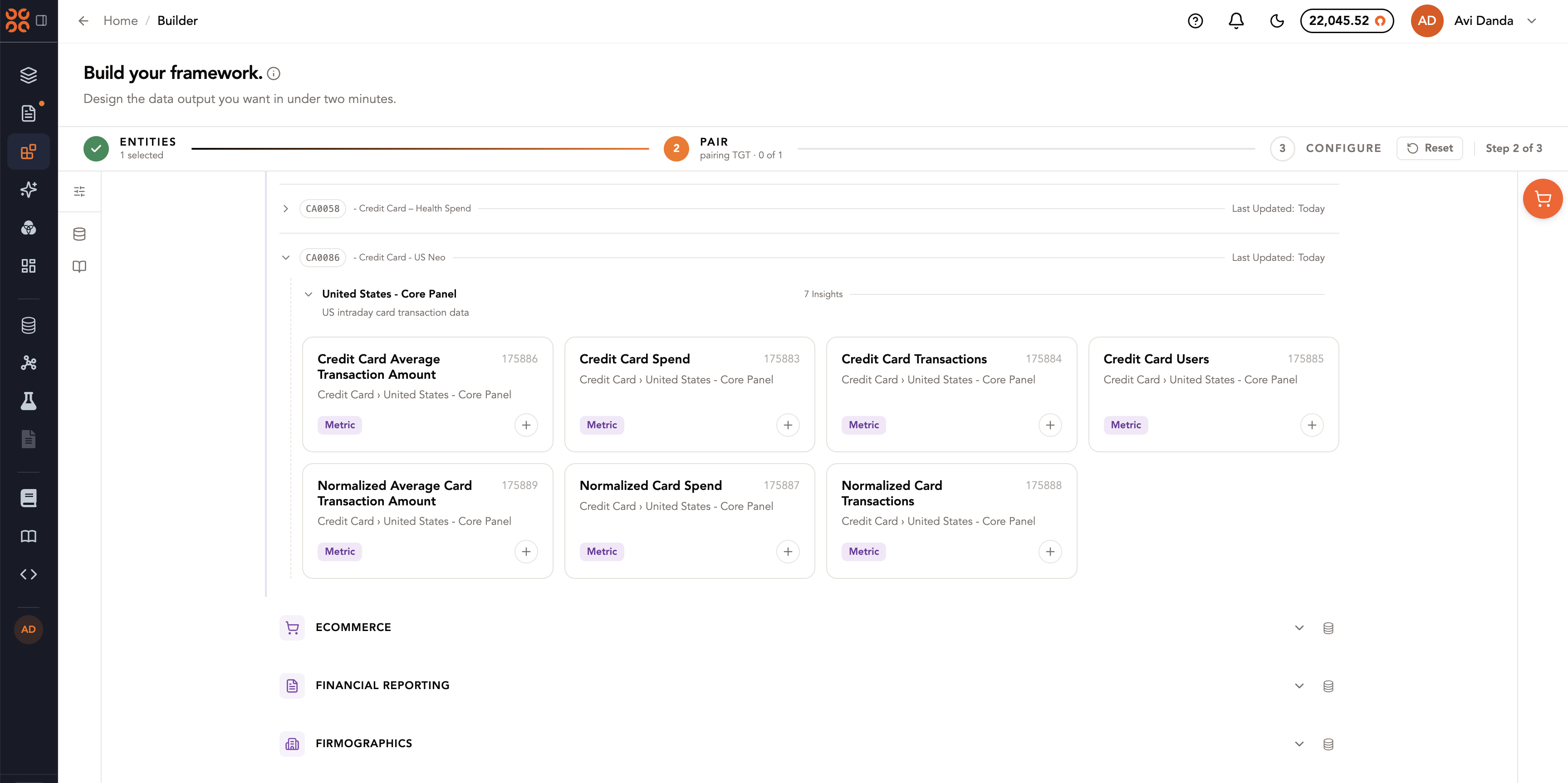
- Step 2: Pair your selection (e.g. pair AMZN with Credit Card Spend)
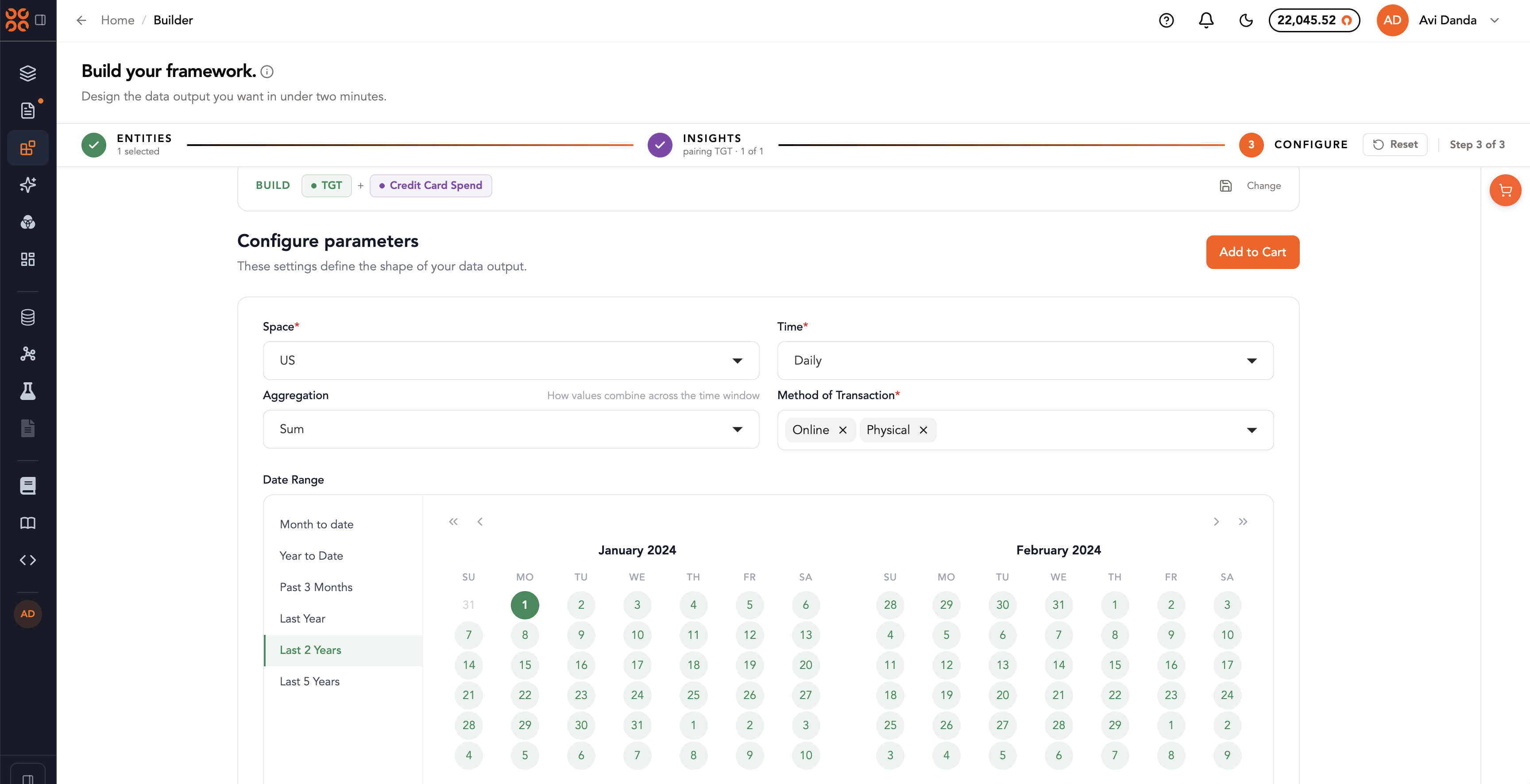
- Step 3: Configure your framework
New to Carbon Arc? First-time users are now greeted with a tutorial that guides them through the Carbon Arc Platform.
Events (Beta)
You can now purchase real-world events in Carbon Arc to layer onto your analysis — such as earnings, product launches, regulatory actions, or macro developments — then pair that event with the entities and insights that matter.
Events are available in Beta through the Carbon Arc Builder, Python SDK, and MCP Server, and follow the same workflow as every other query:
Step 1: Select an Event
Step 2: Configure your event (e.g. Earnings Release or Cyber Monday)
Step 3: Add it to your cart for purchase, or add and purchase other frameworks along with it
Try in Claude
Your Lenses session can be transferred into a non-native chat (Claude, ChatGPT, Codex, or Perplexity). The "Try in Claude" button is always available in the chat header — press it any time to open the handoff panel and copy your brief.
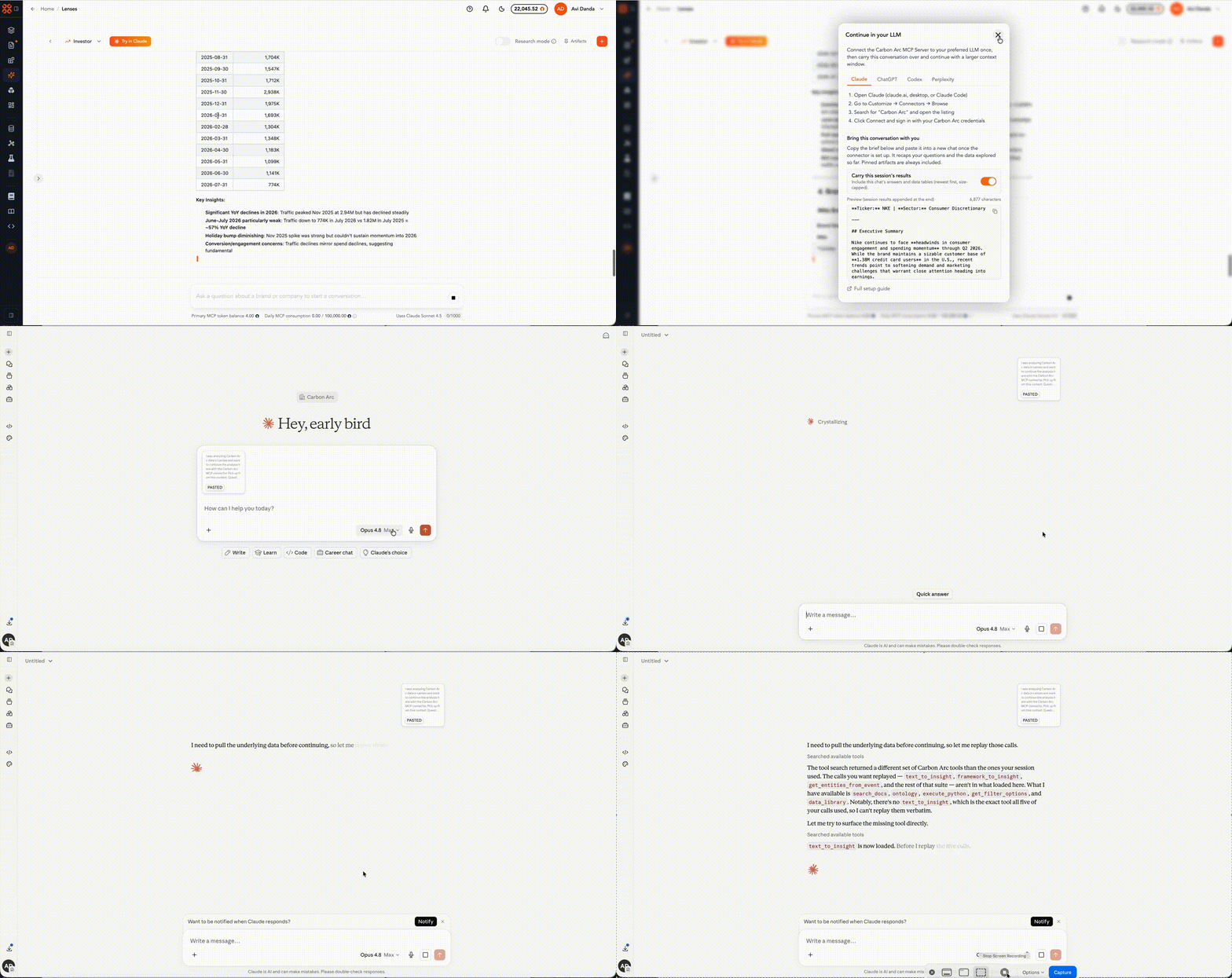
When a conversation grows large (crossing a ~50k-token soft limit) or there's a lot of back and forth (more than 8 conversation turns), Lenses surfaces a "Continue in Claude?" pill inline in the chat so you can keep the session sharp with a fresh, high-context assistant.
Availability in Tear Sheets
Tear sheets in our Data Library now include an availability visual showing which subscription tiers a data asset is accessible in (Professional, Business, or Enterprise) and where it can be consumed (Builder, API, MCP, or Block).
Research Articles in Tear Sheets
We added a Research Articles section to tear sheets in the Data Library to link content from our Research Center to the underlying assets used.
Soft-Launching Prisms
A publicly available product featuring curated reference indices and category shares computed daily using Carbon Arc data assets.
Bulk User Import
Team admins can now add team members in bulk with a CSV template on the Team page.
Python SDK
The Python SDK package has been bumped to 1.1.16.